Remote Interview Etiquette: The Unwritten Rules Nobody Tells You

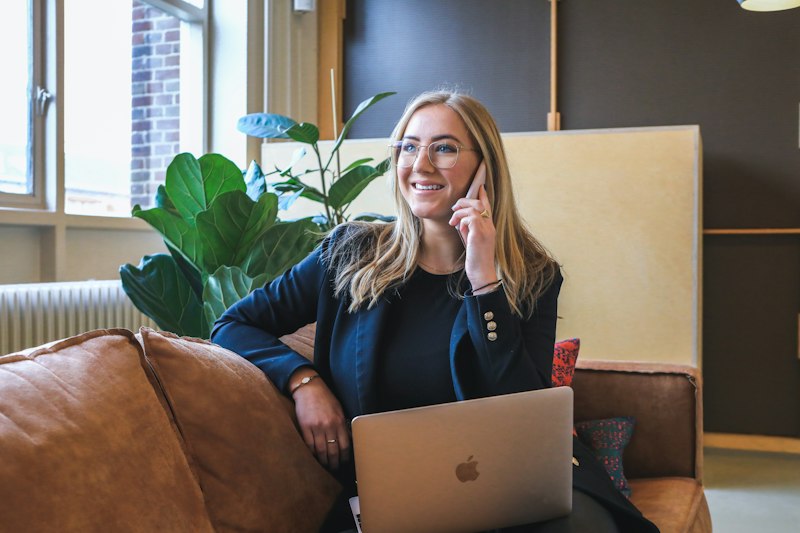
Most technical interviews now happen at least partly over video call. Yet most candidates prepare exclusively for the technical algorithms and completely ignore the medium. Your camera angle, audio quality, and digital body language are being evaluated from the moment you join the call.
The "halo effect" is real. If your audio is crisp and your lighting is professional, interviewers subconsciously assume your code is clean and your architectural decisions are sound. Conversely, if you sound like you're in a wind tunnel, every minor coding mistake is magnified. Let's break down the exact unwritten rules of remote interview etiquette.
1. The Digital First Impression
First impressions form fast. Within moments of joining the call, an interviewer has already registered your background, lighting, audio quality, and whether you look prepared or flustered.
| First Impression Factor | Impact Weight | The Fix |
|---|---|---|
| Audio clarity (No Echo) | Critical (Dealbreaker) | Dedicated USB Mic or AirPods |
| Lighting on your face | Critical | Face a window or use a ring light |
| Background clutter | High | Clean wall or subtle software blur |
| Camera angle | High | Eye-level (stack books under laptop) |
2. The "No-Excuses" Tech Setup
Technical difficulties happen, but most of them are preventable. Here is an equipment and configuration checklist to run through before every call:
- Microphone: Never use the built-in laptop microphone. It picks up the loud clack of your keyboard during the coding round and creates a hollow echo. Use a $50 USB microphone or quality earbuds.
- Camera Position: Your camera must be exactly at eye level. If you are looking down at your screen, you look condescending. If you are looking up, you look small. Stack books under your laptop if necessary.
- Internet Redundancy: Plug directly into your router via ethernet. Wi-Fi drops are stressful. Always have your phone's personal hotspot turned on and ready to connect instantly if your home internet dies.
The Ultimate Pre-Flight Check
30 minutes before the call: Restart your computer (clears RAM for the IDE and video client), close all Slack/Discord apps (kills notification sounds), and test your microphone in the actual meeting software's settings menu.

3. Mastering Digital Body Language
Video calls strip away many of the body language cues available in person. This means the signals that remain carry disproportionate weight. You must over-index on active listening cues.
Do This
- Look at the lens: When speaking, look directly into the camera lens, not at the interviewer's face on the screen. This creates the illusion of direct eye contact.
- Nod visibly: Provide physical affirmation when they explain the problem.
- Keep hands visible: Use hand gestures within the frame to show energy.
- Sit up straight: Posture conveys confidence and engagement.
Avoid This
- Second monitor stare: Looking off to the side at a second monitor makes you look disengaged or like you are reading answers.
- Chair swiveling: Spinning or rocking in your chair is highly distracting on video.
- Self-monitoring: Staring at your own video feed instead of the interviewer.
- Typing while they talk: The sound of typing when the interviewer is speaking implies you aren't listening.
4. Building Virtual Rapport
Rapport-building is harder over video, but it's not impossible. In fact, remote interviews give you a unique advantage: you can have structured notes off-screen. Use these micro-behaviors to make interviewers feel more connected to you:
- Use their name: Drop their name naturally once or twice during the conversation. It breaks through the digital barrier.
- The "Think Out Loud" bridge: When you need 30 seconds of silence to think during a coding problem, announce it. "I'm going to take 30 seconds to think through the edge cases here." Silence on a video call without warning feels like the connection dropped.
- Match their energy: If they are hyper-casual, relax slightly. If they are highly formal, stay sharp and structured.

5. The Post-Interview Remote Follow-Up
The follow-up after a remote interview requires a faster cadence than in-person interviews. Because there is no physical handshake or walk to the elevator, the closure of the meeting feels abrupt.
Send your thank-you email within 2 to 4 hours, not 24 hours. Reference a specific technical discussion point you enjoyed. If you shared your screen and pair-programmed, mention something the interviewer suggested that you found insightful. This reinforces the collaborative nature of the session.
If the loop goes well, the remote questions move to the offer: where your pay is set, the hours you must overlap, and what the company pays for your setup. How to negotiate a remote engineering offer covers each one.
Practice Makes Perfect
The best way to master remote interview etiquette is to record yourself. Devana runs the interview out loud, the way a remote round feels, with timed pressure and AI feedback on how you explained your answers. Practice your digital handshake until it becomes second nature.